
Flights · New in SkyLocation 5.3
Your flight, by GPS. Even in airplane mode.
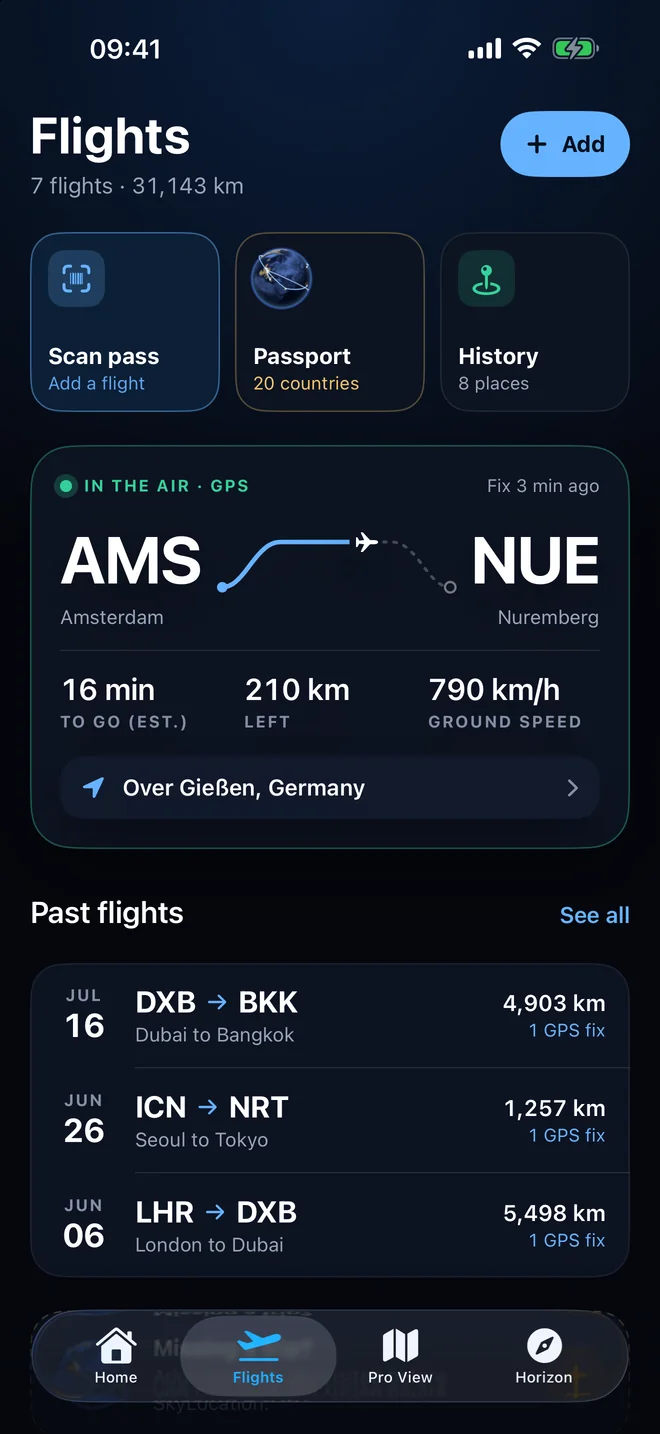
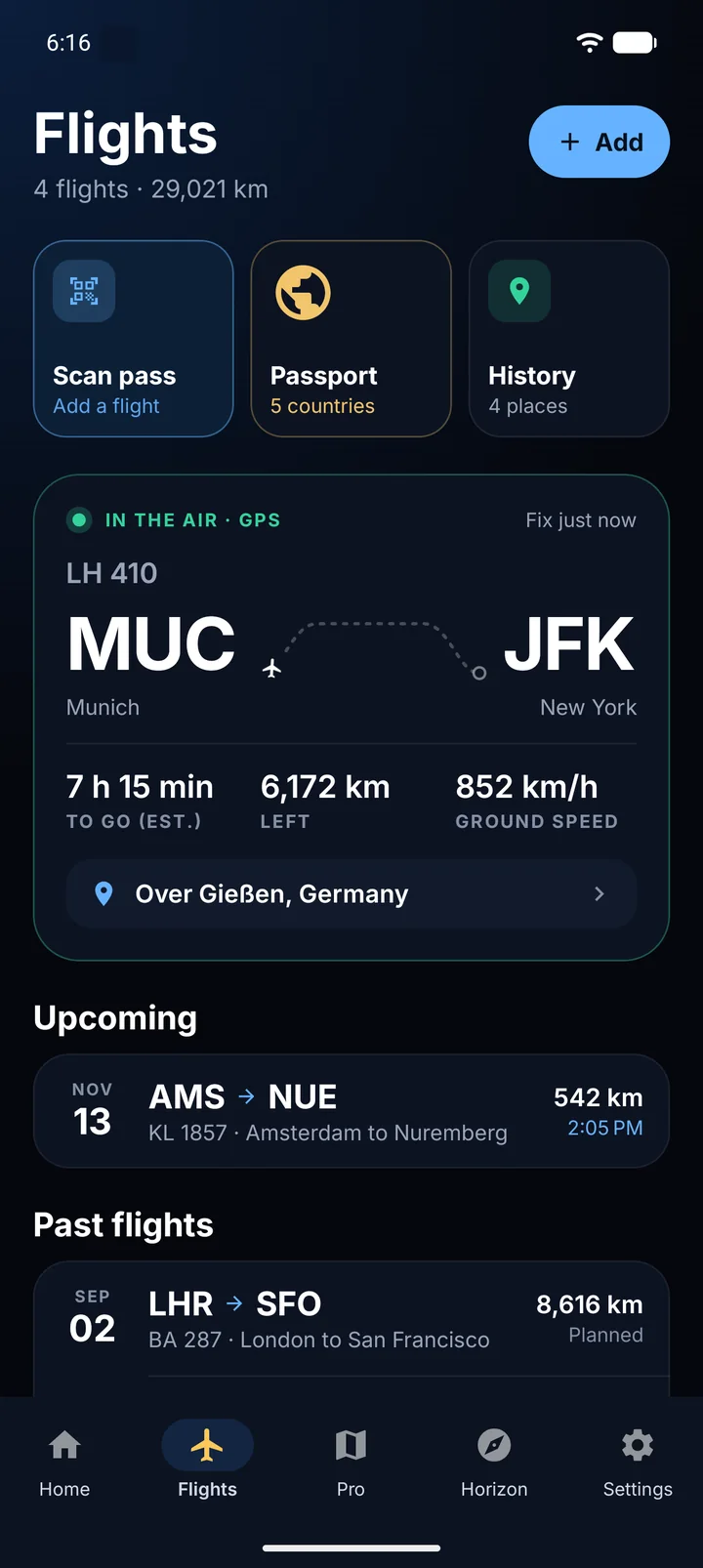
Scan your boarding pass before you leave. On travel day, SkyLocation reminds you, and once you are in the air it follows the route from your own GPS fixes: progress, distance left, estimated arrival and which side the sun is on. Every landing adds a country to your 3D Sky Passport.
No cabin Wi-Fi. No airline data. Nothing uploaded.


Flights is part of SkyLocation Pro on iPhone, iPad and Android. The free app already includes in-flight GPS.
How it works
Three moments. One tap each.
Flights is built around the day you actually travel, not around a timetable.
01
Before you leave: scan the pass
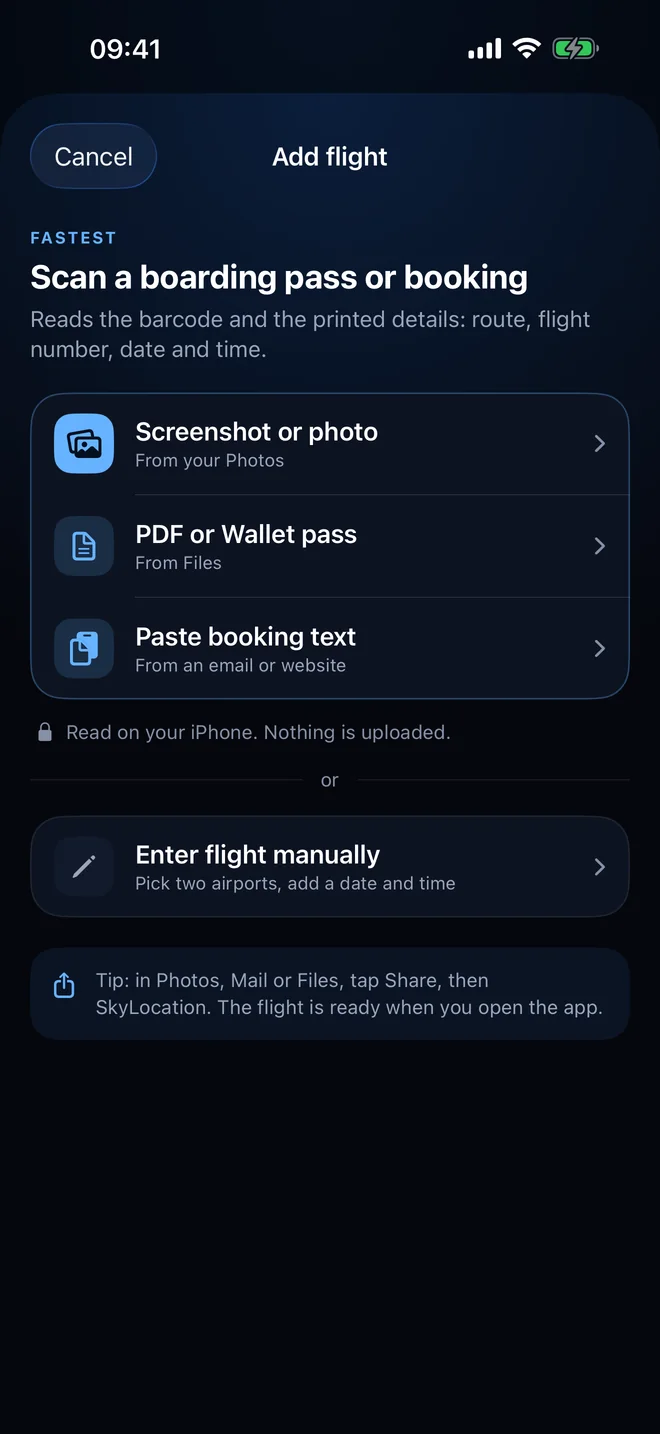
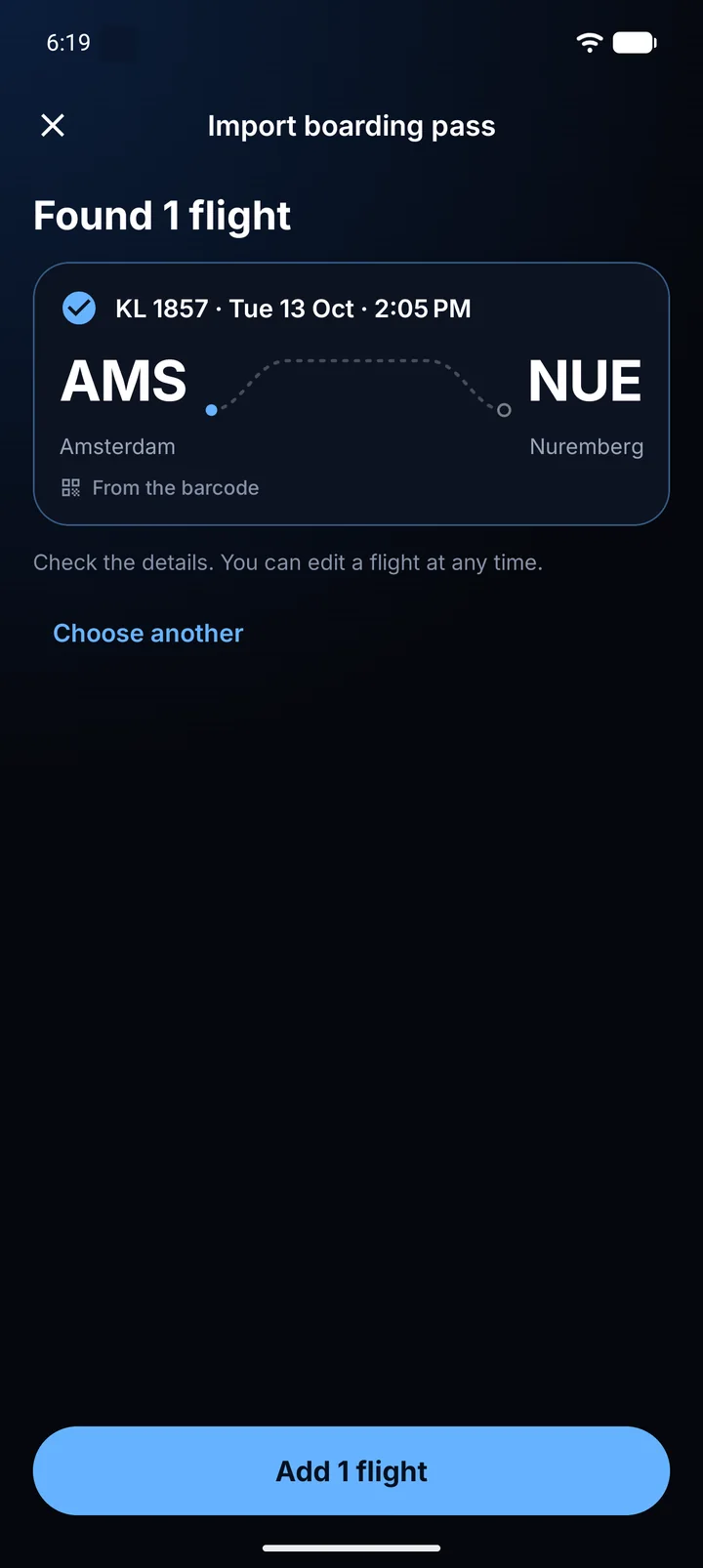
Open Flights and tap Scan a pass. Choose a screenshot, a PDF or a Wallet pass, or paste your booking text. Or tap Share in Photos, Mail or Files and pick SkyLocation. The barcode and the printed details are read on your phone: route, flight number, date and time.
02
Travel day: it is waiting for you
Your next flight sits at the top of the Flights tab with its departure time and a countdown. You get a reminder before departure and another once you are airborne, so the flight is one tap away when it matters.
03
In the air: follow the route
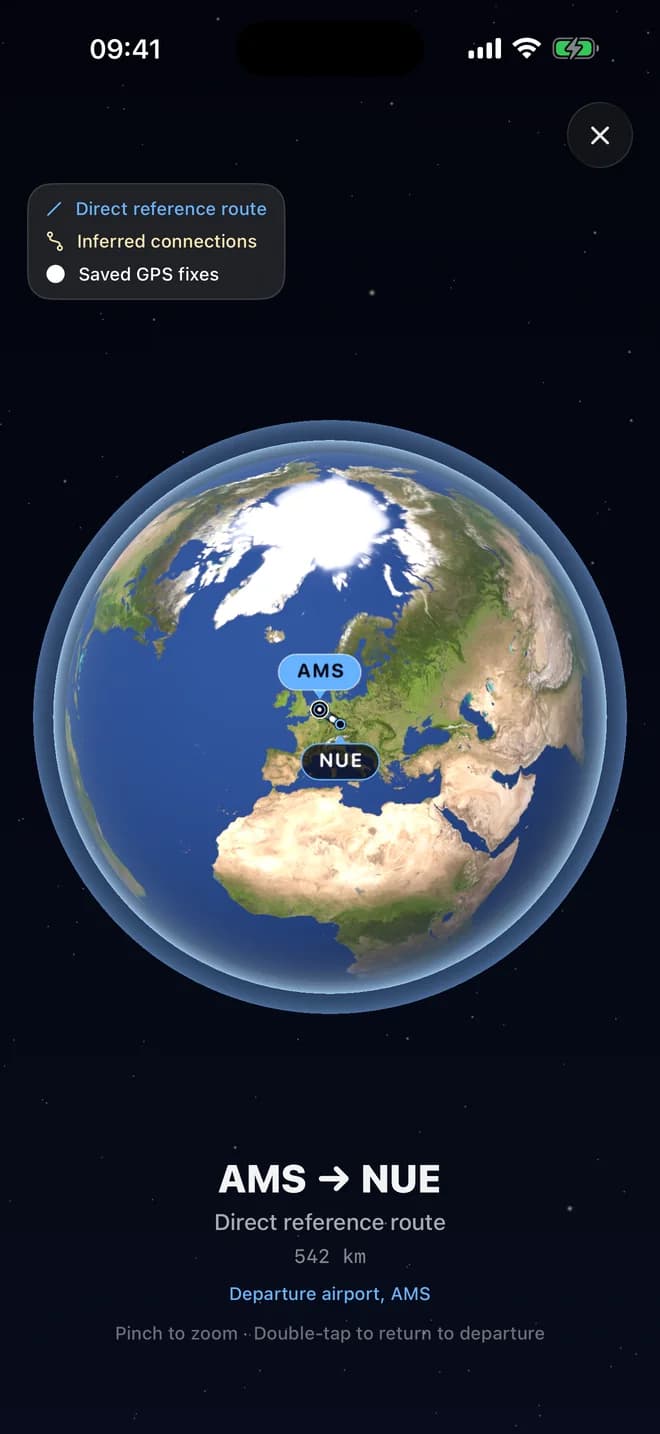
Hold the phone near the window and let GPS find you. SkyLocation shows progress along the route, distance left, estimated arrival and which side the sun is on, all from your own fixes. Land, and the country joins your Sky Passport.
Now on Android
Android has a window seat too.
SkyLocation 5.3 brings Flights to Android: the same scan, the same travel day reminders, the same gold Sky Passport. Share a pass from Photos, Gmail or Files and it is waiting in the Flights tab.
- 01
Scan the pass
The barcode is read first, the printed route is the backup.
- 02
Tap for a fix in the air
Progress, distance left and ground speed from your own GPS.
- 03
Watch the gold spread
Every country you land in, on a 3D globe you can spin.
Android 8 or later · Version 5.3 on Google Play
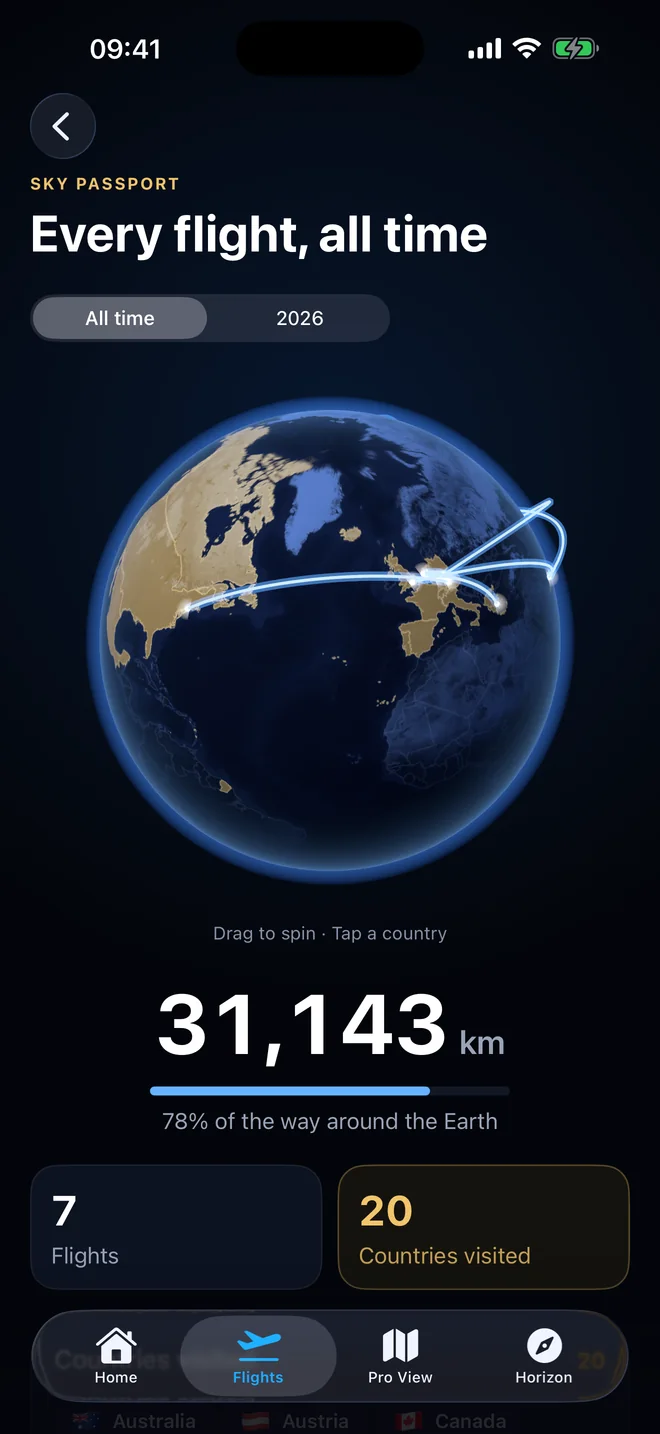
Every country you have landed in. In gold.
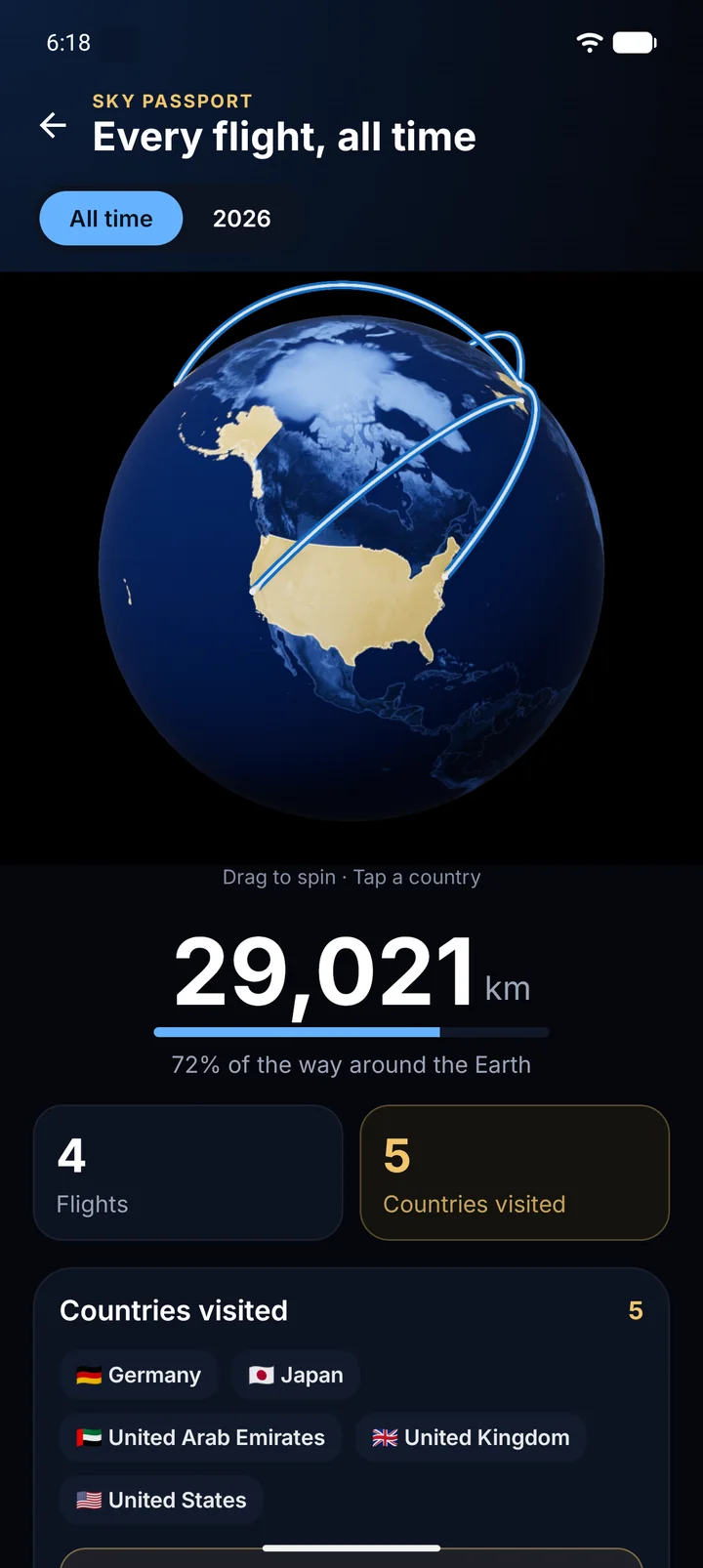
Sky Passport is a real 3D globe you can turn with a finger. Countries you have visited glow gold, your flights draw as light trails between airports, and the counter at the top keeps score. Missing a trip from before SkyLocation? Add countries from a searchable list.
A real globe, not a list
Rendered in 3D on your device. Drag to spin, pinch to zoom, watch your routes arc across oceans.
Filled by your flights
Each landing adds the destination country automatically. No check-ins, no manual logging.
Backfill your history
Add countries you visited before SkyLocation from a searchable list, so the globe tells the whole story.
Yours, offline
The globe, your countries and your routes live on your device. No account, no cloud, nothing to sync.
What is inside
Built for the window seat.
Boarding pass scan
Screenshot, PDF or Wallet pass. The barcode is read first; if it cannot be read, the printed route, flight number and date are used instead.
Share to SkyLocation
From Photos, Mail or Files, tap Share and pick SkyLocation. The flight is waiting when you open the app.
Follow your flight by GPS
Progress on the route, distance left, estimated arrival and sun side, computed from your own GPS fixes and the airports on your pass.
Travel day reminders
One reminder before departure, one once you are in the air. Local notifications, scheduled on your device.
Sky Passport
A 3D globe with visited countries in gold and routes as light trails, plus countries you add by hand.
Airport search, free for everyone
Add a flight by hand with an airport search that finds the airport you mean and understands German city names.
Straight talk
What Flights is, and what it is not.
SkyLocation is a GPS instrument. It knows where you are because satellites tell it, not because an airline server does. That shapes what the feature can and cannot do.
No live airline status
Delays, gate changes and cancellations are not shown. SkyLocation never connects to airline systems. Keep your airline's app for that.
GPS needs a view of the sky
A window seat gives the best reception. In the aisle or with the phone in a bag, fixes may take longer or fail. SkyLocation waits patiently and explains what is happening.
Estimated arrival is an estimate
It comes from your current ground speed and the distance left along the route, not from the airline. Treat it as a good guess, not a gate time.
Reading a pass is not booking a flight
SkyLocation reads the pass you give it. It does not look up bookings, seat changes or rebookings on its own.
Your passes never leave your phone.
Boarding passes are read with on-device barcode and text recognition. The pass, the flight details and your Sky Passport are stored only on your device, and you can delete any flight at any time.
Share to SkyLocation hands a pass to the app on your device. It does not upload anything. Reminders are local notifications, with no push server behind them.
SkyLocation has no account system and no analytics about where you travel. That was true before Flights, and it is still true.
Availability
| Feature | iPhone & iPad | Android |
|---|---|---|
| In-flight GPS readout in airplane mode | Free | Free |
| Boarding pass scan and Share to SkyLocation | Pro | Pro |
| Follow your flight by GPS | Pro | Pro |
| Travel day reminders | Pro | Pro |
| Sky Passport 3D globe | Pro | Pro |
Requires iOS 18.6 or later, or Android 8 or later. Pro is €5.99 once in Germany on both stores and is bought separately in each.
FAQ
Questions about Flights
Which boarding passes can SkyLocation read?
Does Flights work in airplane mode?
Does SkyLocation show delays or gate changes?
Do I need a window seat?
Can I add flights from before SkyLocation?
Does Flights work the same on Android?
Is Flights included in Pro?
Scan the pass. Watch the world go by.
SkyLocation is free to download. Flights, the Sky Passport and every other Pro feature are one purchase, yours forever.
Pro: €5.99 once